
Virtual Hair Color Try-On
Upload a photo to our free AI hair color changer and see a new shade on your own hair in seconds — 136 colors, from natural blondes and brunettes to coppers, silvers and vivid tones.
What a Virtual Hair Color Changer Actually Does
It analyzes your selfie, identifies your hair, and applies a realistic shade to it. Unlike a flat social-media filter, it adapts the color to your own hair texture and to the lighting in your photo, so the preview stays believable.
A shade that looks striking on a swatch card, or on somebody else, can land completely differently on your own strands — and a correction costs far more than the original appointment. Seeing the result on your face first lets you save money and avoid color regret.
It is still a simulation, though. The salon result depends on your natural base shade, hair porosity, condition and the technique your colorist uses, so treat the preview as a well-informed starting point and talk it through with a professional before committing.
How It Works
Three steps, about thirty seconds, no account required.
Choose a Shade
Pick from 136 shades — natural blondes and brunettes through to coppers, silvers and vivid creative tones.
Upload a Selfie
Start with a clear, front-facing photo in even light, with your hair visible around your face and shoulders.
Preview and Save
The color appears on your own hair texture in seconds. Save the result to show your colorist.
Getting the Most Realistic Preview
- Start with a sharp, well-lit photo. Natural daylight near a window gives the most accurate shade.
- Keep your hair fully visible — pull it forward over your shoulders so the whole length gets colored.
- Try the same shade on more than one photo. Indoor and outdoor light change a color noticeably.
- Save the shades you like. A screenshot is a useful reference to bring to your next appointment.
- Treat the preview as a decision aid. The salon result still depends on your base color, porosity and technique.
Part of a Complete AI Hair Toolkit
The tool above is free and built for one job: trying a shade. If you want to explore further, two companions pick up where it stops.
Try the Full Virtual Styler
The Styler changes the cut as well as the color, with hundreds of hairstyles and a 360-degree preview that shows shape and shade in motion.
Try the Virtual StylerTake the Hair Color Quiz
A three-minute quiz reads your skin tone, natural shade, lifestyle and upkeep preferences, then recommends the colors most likely to suit you.
Take the Free QuizBrowse Hairstyle Guides
Editor-tested guides to cuts, colors and upkeep — written by stylists, with real photos rather than renders.
Read the GuidesHairstyle Try-On App— HairHunt
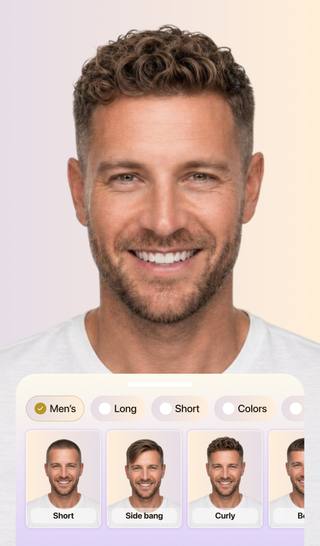
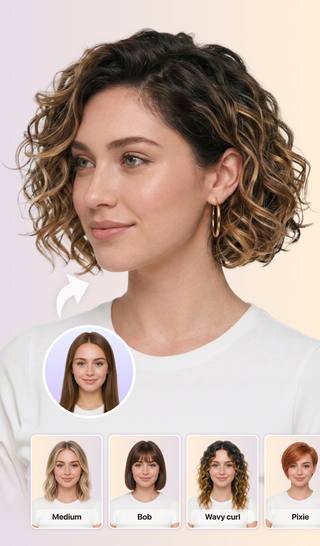
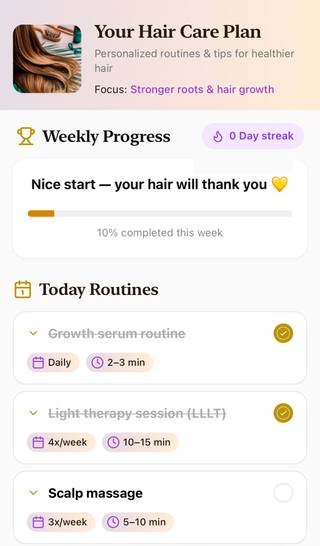
Try realistic hairstyles and colors on the go with the HairHunt app. See what suits you best, keep up with hair trends, and build a nourishing hair care routine.


Hair Color Try-On, Explained
What is the hair color changer and how does it work?
It is an AI tool that maps the hair area of your photo and applies a new shade to it. Upload a selfie, tap the color you want to try, and the shade appears on your own hair texture within seconds — no account needed.
How accurate are virtual hair color changers?
A hair color simulator gives a close approximation of how a shade may look on your hair, though the result varies with photo quality and lighting. Treat it as a reference point rather than a guarantee: the real-life outcome also depends on your starting shade, hair porosity, condition, and your colorist’s technique.
Does the hair color changer work on dark hair?
It applies the chosen shade to the hair it detects in your photo. If your hair is very dark, lighter tones may appear as a subtle wash. In a salon, that level of lift usually requires bleaching or several sessions.
Is my photo stored after I use the tool?
Your photo is processed to create your result and is never shared or sold. You can try colors without creating an account.
Is this hair color changer free?
Yes. You get free try-ons to start, with no card required. Every shade in the palette is available.
How many hair colors can I try?
The palette spans 136 shades — icy and warm blondes, brunettes and blacks, coppers and burgundy reds, silvers and grays, vivid creative tones like pink and teal, and multi-tone balayage looks.
Why does hair color look different on different people?
Every shade interacts with your own colouring. Your skin’s warm or cool undertone decides whether a shade enhances your look or clashes with it, and your base color, porosity, and any previous chemical treatments all change how your strands take the dye.
Can I use this on my phone?
Yes — it works on phones, tablets and desktop. Upload a photo from your gallery or take a fresh one with your camera.
What is the difference between a hair color changer and a full virtual try-on?
A hair color changer applies new shades to the hairstyle you already have. A full virtual try-on lets you change the cut as well, combining hairstyles with colors.
How can I find the best hair color for my skin tone?
Start by working out your skin’s undertone. Warm undertones usually suit golden blondes, coppers and rich browns; cool undertones tend to suit ashy blondes, burgundies and blue-blacks; neutral undertones have the widest choice. Then preview the shades that interest you on your own photo.
What color should I dye my hair?
If you are unsure, try a few shades that catch your eye on your own selfie — seeing the result on your own face usually makes the decision much easier than imagining it.
Try On Your New Hairstyle or Color Now
Just upload one photo and let our hairstyle generator show you realistic cuts and colors on your own face in seconds.
Try it Now